
One order, three different jobs
A single ticket routinely contains work for three people standing in three places. The wok cook needs the hot dishes, the larder needs the cold plates, the bar needs the drinks, and none of them needs the other two. Print the whole order everywhere and you have three people scanning past two-thirds of a docket all night — which is exactly how a dish gets missed on the busiest table of the week.
Routing is four questions
- When does it fire
- On sending to the kitchen, on settling the bill, on a reprint.
- What does it print
- Which template. A kitchen docket, a bar label and a customer receipt are different shapes on different paper.
- Where does it go
- Which physical printer, or which KDS screen.
- What does it cover
- Which dish categories — the filter that makes the whole thing work. Add a station and you add a rule; you do not rebuild the menu.
The fallback matters more than the rules themselves. Every catalogue eventually gets a dish belonging to no configured category — a special typed in on a Friday, a category somebody added last month. Unmatched dishes route to a default printer, so the failure is visible and correctable instead of silent. Full detail in routing kitchen tickets.
The language split, solved at the record
This is the shape of most overseas Chinese restaurants: a kitchen brigade that reads Chinese and a floor team hired locally that does not. The usual workarounds all decay — numbering dishes breaks when the menu changes, a laminated translation sheet breaks on a Friday, and hiring only bilingual staff shrinks your hiring pool to almost nothing.
Here the dish is one record with two names, and each screen renders the one that suits its reader, because language is a property of the user account rather than of the machine. The server orders in Spanish, the ticket arrives in Chinese — or in both, which is what most kitchens run during a new hire's first month. Preparation notes travel with the dish rather than being shouted across the pass.
A clock on every ticket
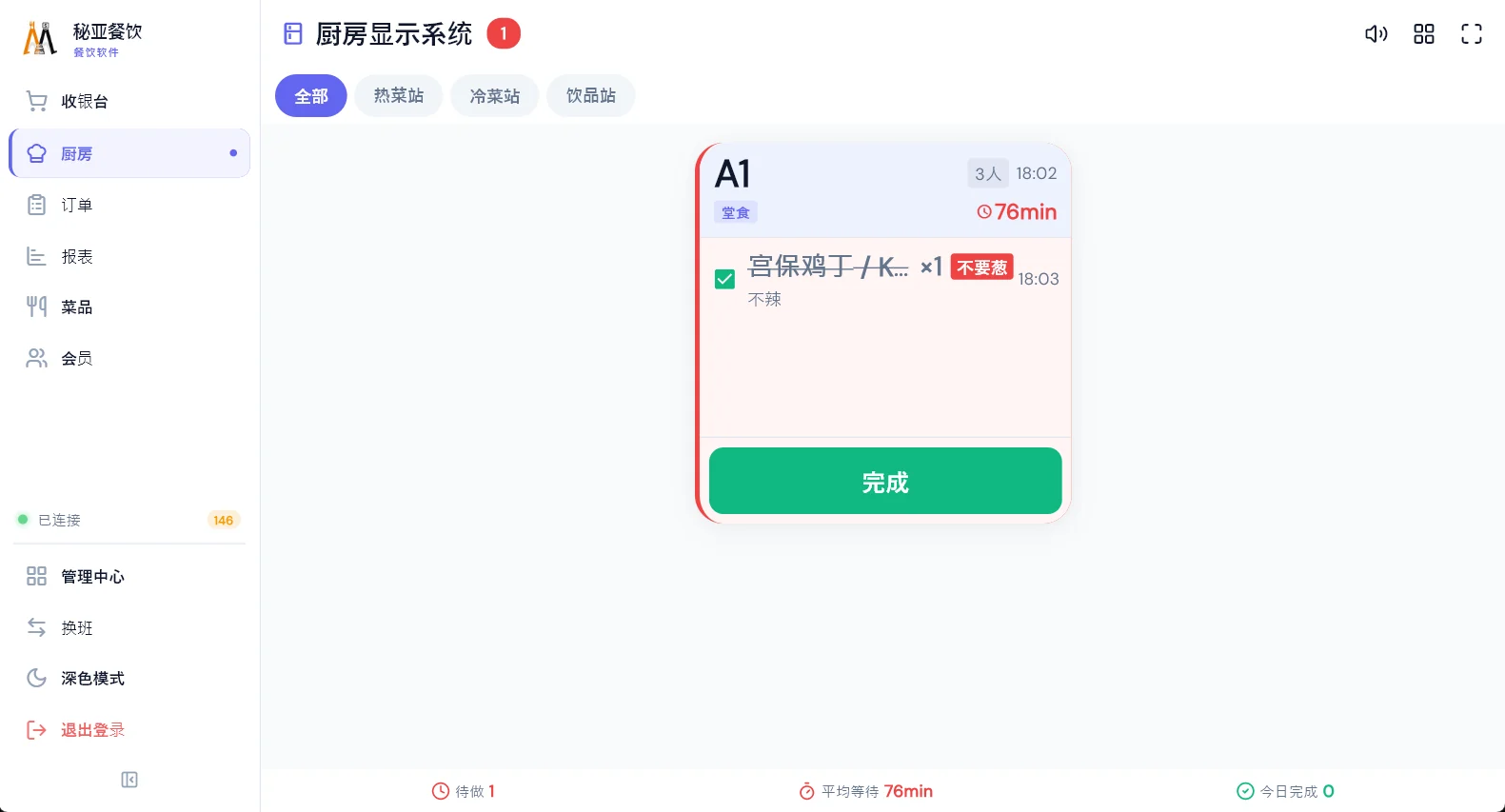
Ticket cards carry the table, the elapsed wait, the dish with its options and any note. Once a ticket ages past the threshold it changes colour, so the pass can work by urgency rather than strictly first-in-first-out. Dishes are ticked off as they go out, and a whole table can be called together when you want to control the pace of service rather than sending plates as they appear.
Timed formats need this most. A hotpot table on a countdown, a mookata seating with thirty minutes left, a second round of sushi — paper cannot age, and a docket on a spike tells you nothing about which of the eleven is late. See timed seatings and buffet rounds.
Screens, paper, or both — and when a screen is not worth it
We will tell you when you do not need one. A short menu, one production line, steady rather than bursty orders and a cook who reads the ticket: that kitchen wants its printing tidied, not a display. Fix the routing first, spend nothing, and see whether the kitchen calms down. The honest version of this argument is in does a small kitchen need a KDS.
Two practical details
Thermal printers have a small built-in font table, and Thai, Khmer, Burmese, Arabic and unusual currency symbols are not in it — which is why tickets come out as boxes on systems that ignore the problem. Those lines are rendered as a bitmap before printing, so the printer only has to print a picture. See why receipts print boxes.
And ticking dishes off feeds real numbers: average wait, output per station, how the kitchen behaves at 12:30 versus 20:00. After a month that usually tells you the bottleneck is one station rather than the whole kitchen — which is a much cheaper problem to fix.
We have two chefs and a short menu. Do we need a screen?
Probably not yet. A short menu with one production line usually needs its printing routing tidied up rather than a screen. A KDS starts paying when orders arrive in bursts, when dishes are timed, when orders change after being sent, or when the cook cannot read the language the order was taken in.
How does a ticket reach the right station?
Through print rules. A rule is a trigger, a template, a target device and a category filter — hot dishes to the hot line, drinks to the bar label printer. Anything matching no rule falls back to a default printer, so an uncategorised dish is misdirected rather than silently lost.
Can the kitchen read Chinese while the floor orders in the local language?
Yes. The dish is one record carrying both names, and each screen renders the name that suits whoever is looking at it. The floor tablet can be entirely in Spanish while the kitchen ticket shows Chinese, or both together during a new hire’s first month.
Do screens replace kitchen printers?
Not necessarily — they coexist. A common arrangement is a screen on the hot line where tickets churn and re-order constantly, and a label printer at the bar because the label has to go on the cup. Both are targets of the same routing rules.