
The hour that costs you money
Lunch service is ninety minutes long. For thirty of those minutes four tables want to order at once and two servers are jogging. Hiring for that half hour is expensive everywhere and ruinous in a country where labour is dear; not hiring for it means tables sit unserved with menus closed, which is the same problem wearing a cheaper hat.
Self-ordering is aimed squarely at that half hour. It does not replace your floor team — it removes the part of their job that is transcription, so they can be doing the parts that need a person.
What actually happens
The guest points a camera at the code stuck to the table. A menu opens in Safari or Chrome, in the local language, with photographs. They pick dishes, choose the options, submit. The order arrives at the till already attached to table 12 and at the kitchen display or printer at the same time, routed to the station that makes it. Nobody re-keyed anything, and nobody carried a handwritten docket across a busy room.
Because there is no app, there is no install, no password reset, no Wi-Fi negotiation and nothing to delete tomorrow. That is the whole reason this works in restaurants when app-based ordering does not.
Two settings to decide before you go live
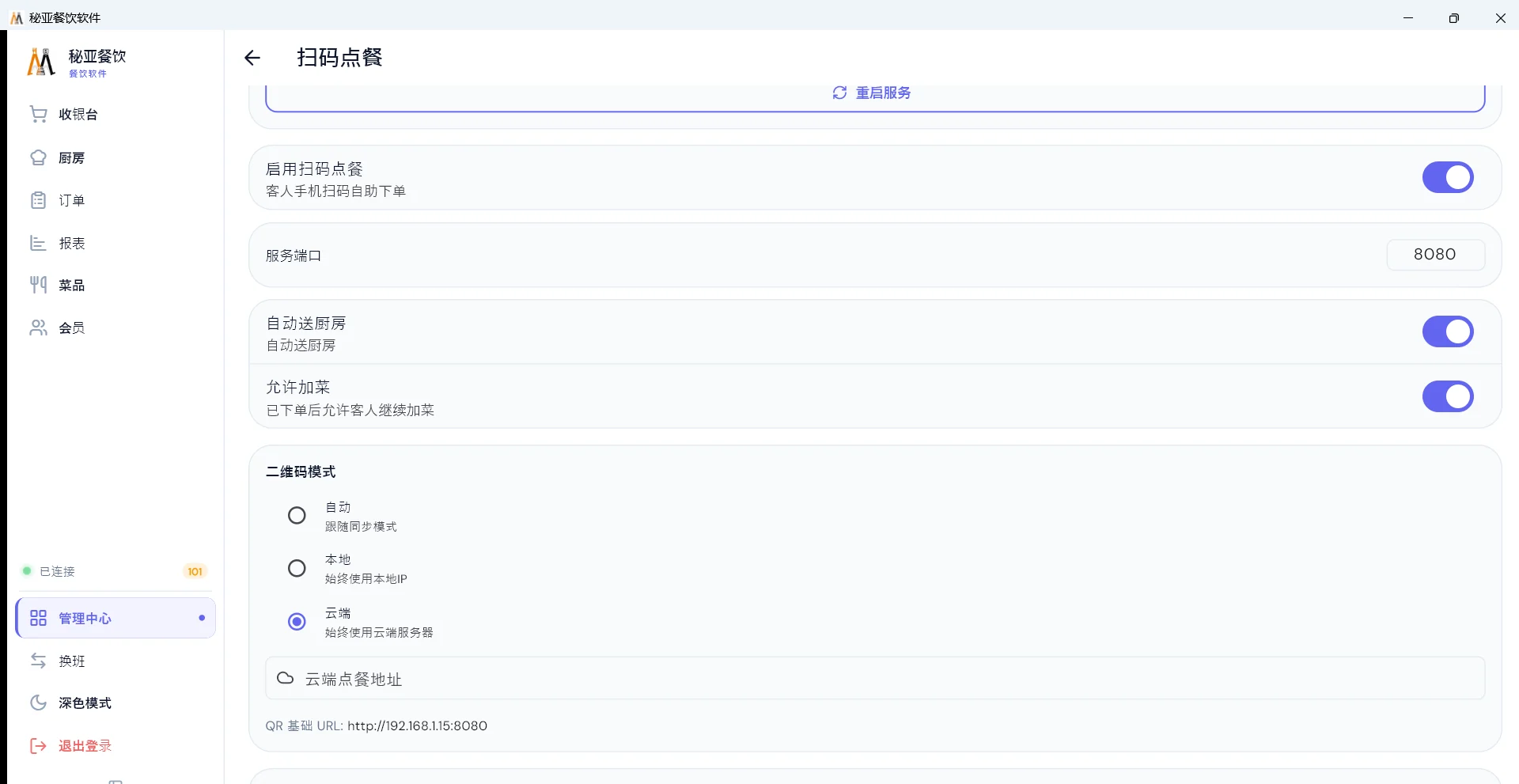
- Straight to the kitchen, or confirm first
- Orders can fire directly into the kitchen, or hold for a server to confirm. Drinks counters usually go direct. Restaurants with a lot of substitutions, or one training a new team, often confirm for the first month and then switch it off once they trust the flow.
- Whether guests can add to the order
- Turn this on and a second scan joins the existing table instead of opening a new bill. Hotpot, barbecue and mookata tables order in waves for two hours — without this, self-ordering is only useful for the first round and the servers do the rest.
Ordering gets more accurate, and tickets get bigger
A guest choosing 30% sugar, no ice and extra pearls on their own screen is more accurate than the same request shouted across a loud dining room and relayed to the bar. The options are structured — size as a priced variant, sugar and ice as single-choice scales, toppings as stackable add-ons — so an impossible combination cannot be submitted. See how to build modifiers.
Tickets also tend to grow, and not because of anything clever in our software. The upsell is simply present as a checkbox in front of someone who is already deciding, instead of being a question a busy server has to remember to ask in their second language.
LAN or cloud
The code can point at the till machine inside your shop, or at a cloud service. LAN mode means guests keep ordering when the fibre outside is cut, because their phone is talking to a machine forty feet away over your own router — see what happens when the internet goes down. Cloud mode is what a multi-branch group moves to. You can start on LAN and switch later; the menu does not get rebuilt.
The cheapest place in the shop to sign up a member
Member enrolment can sit inside the ordering flow. The guest is already holding their phone and already on your page, so joining costs them one tap and costs your staff nothing — far better conversion than a server asking at the till in a language they are not comfortable in. That is where a stored-value balance and a birthday coupon start paying for themselves.
Do guests need to install an app?
No. The code opens a web page in whatever browser is already on the phone. There is nothing to install and no account to create, which is the only reason self-ordering works at all in a restaurant.
Does QR ordering still work when the internet goes down?
In LAN mode, yes. The code points at the till machine inside the shop over your own wifi, so guests keep ordering through an outage of the building connection. Cloud mode is what you switch to when you want one view across several branches.
Can guests add more dishes after they have already ordered?
If you enable it. The guest scans the same code again and the new dishes join the same table rather than opening a second bill. For hotpot and barbecue, where a table orders in three or four waves, this is the setting that makes QR ordering worth having.
Does the guest have to pay online?
No. They can pay at the end of the ordering flow where a local payment channel is connected, or simply settle at the counter in cash, by card, from a stored-value balance, or a mix of those on one bill.